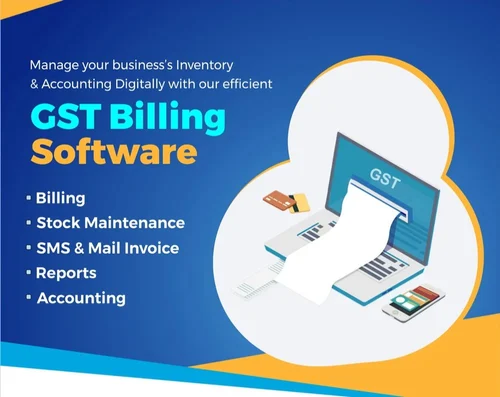
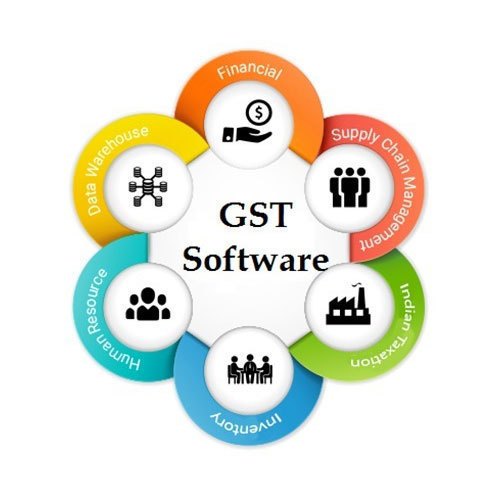
The GST ERP software is complete billing software
Support Multiple PC
USER FRIENDLY INTERFACE
THIS IS SUITABLE BUSINESSES/ORGANIZATION SPECIALLY
- Retail Shop
- Wholesale Shop
- Textile
- Supermarket
- Industries
For Support, Please email us directly at EMAIL – thirdeyeknr323@gmail.com
MAIN FEATURES :
- User Management System
- Product Master ( Item Name, HSN Code, UOM, Category & Sub-Category Included, Tax Slab, Sale Price, Purchase Price, Stock)
- Account Management (Customer, Supplier, Bank Account, Capital account, Cash-In-Hand, And Many More…)
- Sale Invoice Management(Sale Challan, Sale Return)
- Purchase Invoice Management(Purchase Challan, Purchase Return)
- Stock Management and Add Opening Stock Editor.
- Quick Payment Management
- Quick Receipt Management
- Bank Entry
- Manual Invoice
- Sale / Purchase Register
- Cash / Day Book
- Outstanding Analysis (Payable, Receivable)
- Journal Voucher
- GST Sales / Purchase Report
- Customer Report
- GST TAX Report
- Item Stock Report
- Support Multiple PC
- Secure Database System ( Backup & Restore Automatically)
Requirement
- MS SQL Server 2008 with dbadmin user name and password
- Microsoft dotnet
- Crystal Reports 13.0.12
- Windows xp or later ( Operating System )
Getting Started
- 1. First the Application collects SQL Server Logins. Provide SQl Server Instanat Name,User Name and password for SQL. save it.
Normally SQL Server Name : YOURPCNAME\sqlexpress ( EX: ADMIN-PC\SQLEXPRESS)br
SQL User Name: sa
Sql Password : enter sql login password( you need to assign the dbadmin user ) (if you don't know, leave blank)
2. Create a company dialog box is appears, Provide details and a shared folder address is required
(Any folder path)
create it.
3. Set the defalult ledgers from settings menu.
- 4. set the POS settings from setting menu, you have Choose Bank ledger for Mulitple payment methods.
5. Set the setting from setting menu-Advance settings
- 6. Set the Invoice Number settings from setting menu->invoice settings
- 7. Create VAT ledgers as follows (from Accounts-Ledgers)
For VAT @ 5%, you need 4 ledgers accounts
1. Purchase @ 4% under purchase accounts
2. Sales @ 4% under Sales Accounts
3. Input vat @ 4 % under Duities and Taxes
4. OutPut vat @ 4 % under Duities and Taxes
After Creating ledgers, You need to create VAT Clauses From Account menu->Vat Clauses
ShortCuts
- 1. Contra Voucher :F4
- 2. Payment Voucher :F5
- 3. Receipt Voucher :F6
- 4. Journal Voucher :F7
- 5. Sales Voucher :F8
- 6. Purchase Voucher :F9
- 7. POS :F12
- 8. SAVE ON POS: F2, OPEN: F3
- 9. SALES INVOICE :F11
- 10. PURCHASE INVOICE :F9
Shortcuts for forms(office shortcuts)
- New: ctrl+N
- edit: ctrl+E
- open: ctrl+O
- save : ctrl+S
- delete; Ctrl+D
- To create accounts instantly, press alt+C on the Field box
for dialogs
- save: alt+s
- alter: alt+a
- close: alt+c
For any assist, Please mail to
thirdeyeknr323@gmail.com
The Cost of ERP Client and Server system is $299. (for Single Developer)